The launch of the Zen Browser marks a significant shift in how users manage multiple tabs, especially for those accustomed to the limitations of traditional browsers like Google Chrome. Built on the Firefox platform, Zen offers a unique approach that enhances productivity, particularly during extensive research sessions.
For users who often find themselves overwhelmed by the sheer number of open tabs, Zen presents a refreshing alternative. While many modern browsers operate on a Chromium foundation, Zen leverages the open-source capabilities of Firefox, resulting in a streamlined, minimalist interface. This design is not merely aesthetic; it is fundamentally aimed at improving user experience by reducing distractions associated with conventional tab management.
Revolutionizing Tab Organization
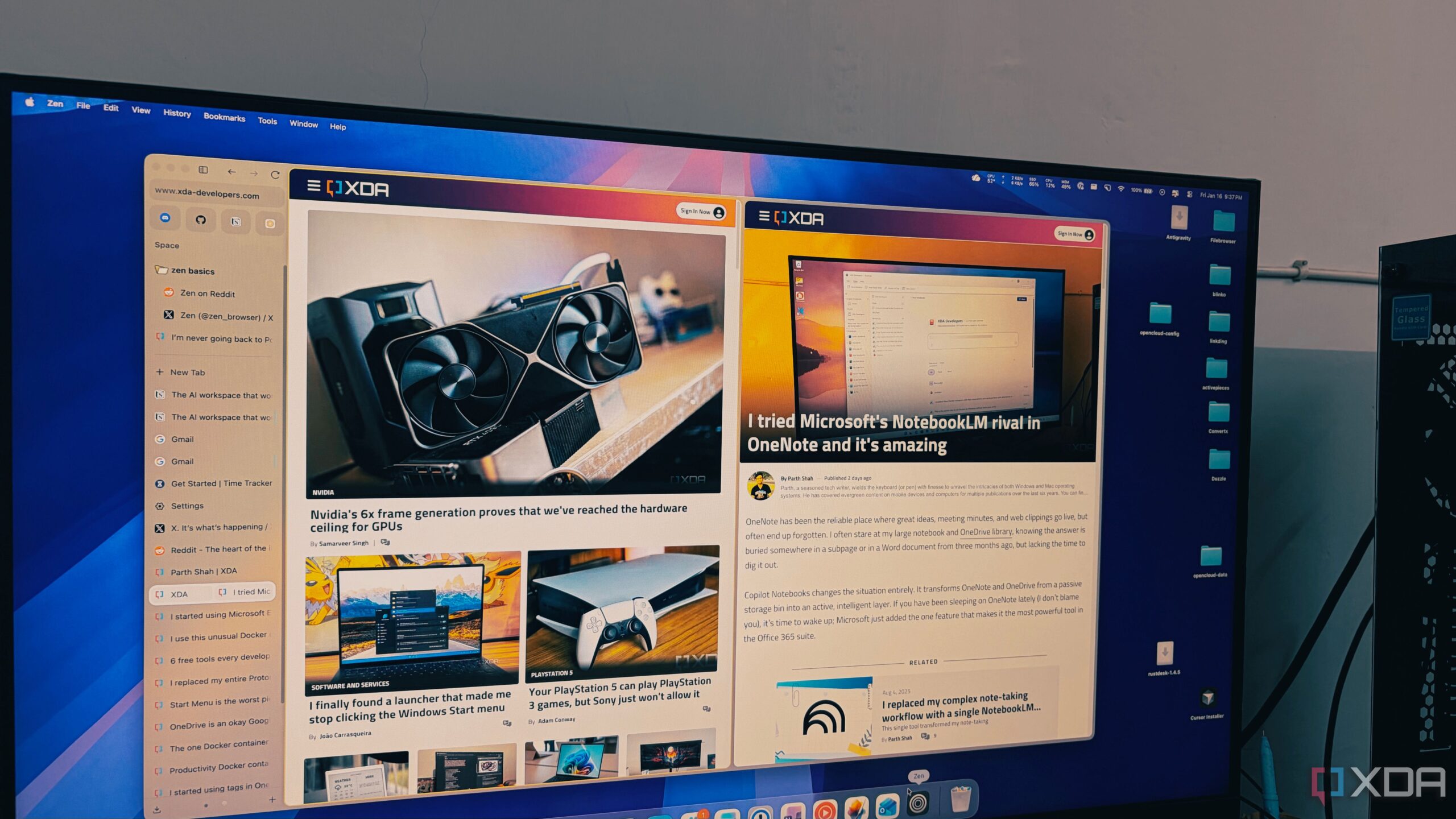
A standout feature of Zen is its vertical tab management system, which contrasts sharply with the horizontal arrangement commonly seen in other browsers. When users have upwards of 50 tabs open in Chrome, the icons shrink drastically, making navigation cumbersome. In contrast, Zen maintains a clear vertical list that allows users to view the full titles of all open pages, even exceeding 100 tabs. This design fosters an organized workspace where users can easily locate their research without mental strain.
The vertical orientation not only maximizes screen space but also enhances readability. Zen includes an auto-hide feature for the sidebar, providing a seamless, edge-to-edge browsing experience. This functionality allows users to focus on their content without unnecessary visual clutter, a refreshing change for those who often feel confined by traditional layouts.
Enhanced Usability with Essential Tools
Zen also introduces an “Essentials” feature, which keeps frequently used applications like WhatsApp, Gmail, and Slack readily accessible. Unlike merely pinning tabs, these applications are displayed as large, fixed icons that remain visible, transforming the sidebar into a dedicated dock. This organization helps users maintain a clear distinction between essential tools and temporary research tabs.
Additionally, Zen incorporates workspaces to help users manage different projects effectively. With the ability to create distinct spaces for writing, personal tasks, and other activities, users can keep their work organized and avoid mixing unrelated tasks. Furthermore, Zen utilizes Firefox’s container technology, allowing users to be logged into multiple accounts within the same window without data overlap. This feature is particularly beneficial for individuals balancing work and personal accounts, as each container is color-coded for easy identification.
The performance of the Zen Browser is another critical advantage. Transitioning from Chromium-based browsers like Chrome or Edge, users may notice a significant difference in speed and resource allocation. The Gecko engine, which powers Firefox and Zen, is designed to handle multiple background tabs efficiently. Users can maintain extensive sessions without experiencing the lag often associated with high tab counts in other browsers.
For those who frequently manage numerous tabs, Zen Browser offers a compelling solution that emphasizes productivity without compromising on aesthetics. By addressing the common pain points associated with tab management, Zen positions itself as a modern tool tailored for today’s digital work environment. While Chrome remains the most widely used browser globally, Zen provides a thoughtful alternative that prioritizes user experience, organization, and privacy.
As the internet landscape evolves, the introduction of tools like Zen Browser highlights the necessity for browsers that adapt to user habits rather than forcing users to conform to outdated designs. With its innovative features and commitment to open-source principles, Zen Browser is poised to make a lasting impact on how individuals navigate the web.